Choosing the foundation for OTTAVA was a difficult decision. I wanted to give the J&J MedTech team a learning platform they could control and keep building upon, with a consistent experience across desktop, mobile and immersive devices. Unity, Unreal and a browser-based approach all deserved consideration. I chose the web foundation because I wanted the learning content and interaction work to have a life beyond any one headset.
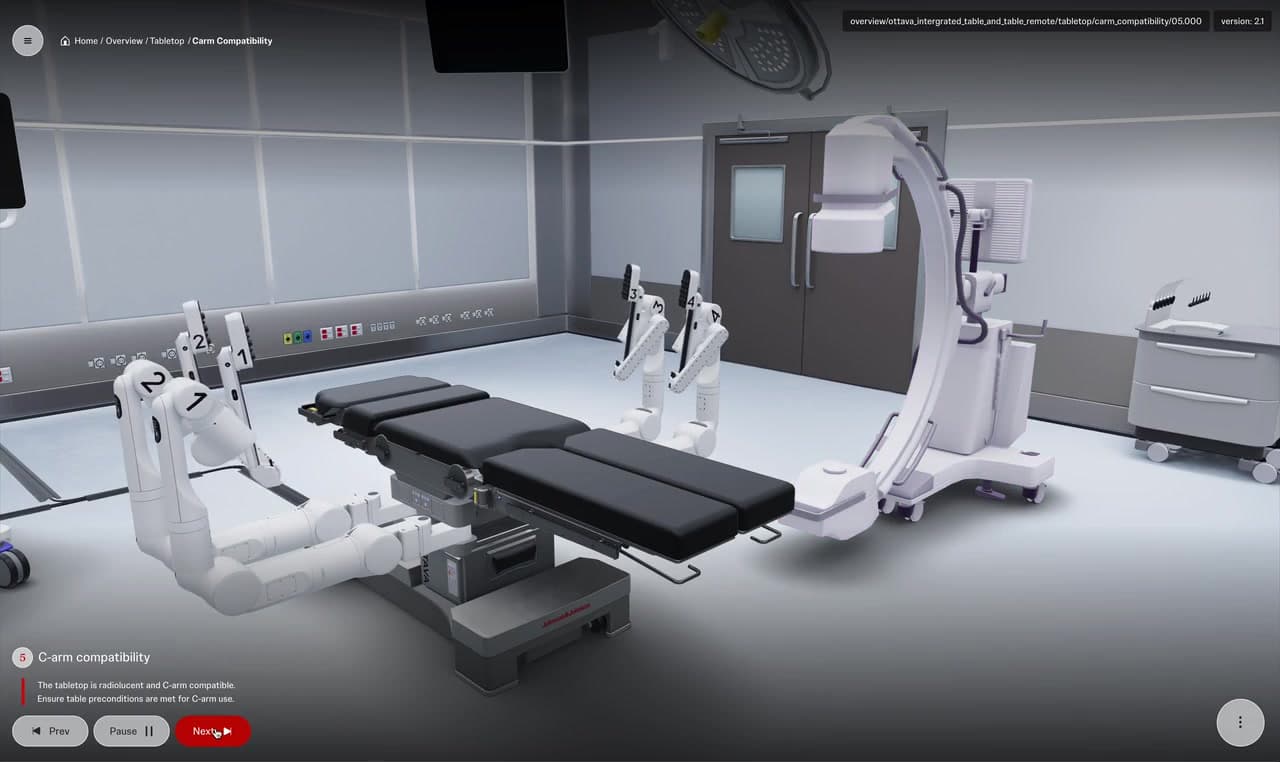
At Groove Jones, we built a custom education experience around the OTTAVA robotic surgical system: interactive equipment overviews, guided workflows, shared VR sessions and a separate phone AR model viewer. My creative and technical direction connected those surfaces around a practical question: what does this person need to understand, and what should they be able to do next?
Give J&J a platform they can build upon
The larger result was a learning platform the J&J MedTech team could retain and extend. The team received source access and a production-build handoff. That matters when equipment content, training needs and devices continue to change: the education team has a foundation for the next stage of development.
I think of independence here as control over the learning experience and its direction. The application still connects to services: Motive for delivery and identity, Photon for shared VR presence and voice, and Cognitive3D for learning events. The aim was to give J&J a custom application they could build upon while connecting the services needed to deliver it.
Why I chose WebXR over a native engine foundation
My decision came from the way this platform needed to grow. Desktop and mobile browser learning already mattered. I wanted immersive VR to share that web foundation, so our equipment, curriculum and interaction work could travel with it. React and TypeScript organize the application, Three.js and React Three Fiber render the scenes, and WebXR provides the browser’s immersive VR interface.
Keep the annual budget available for new work
Licensing was part of that decision. Commercial engine subscriptions can add recurring development-seat and support costs, depending on the license and use case. I considered those alongside upgrades, dependency fixes and device retesting. As the catalog grows, carrying that work forward can take a larger share of each year’s budget. I wanted J&J’s budget to keep funding new learning experiences.
During development, I asked what it would take to run an earlier VR app we had been given. The investigation raised licensing, debugging and a possible rebuild against newer Unity and Meta SDKs. That made the risk tangible: expanding the catalog also means supporting what is already there. I wanted to avoid a point where keeping existing applications usable consumed the budget intended to develop the next experience. Keeping yesterday’s apps awake is a fairly uninspiring creative brief.
My choice was to invest in our own application and learning framework: the curriculum, interaction logic and shared-session behavior, built on Three.js, React Three Fiber and WebXR. This kept commercial Unity or Unreal engine subscriptions out of this application’s foundation. We still had to budget for maintenance, hosting and connected services. The decision gave us control over the application layer and a foundation J&J could keep extending.
That is what I mean by designing for the future: preserve the useful work and make adaptation manageable. A new device still brings its own field of view, input behavior and browser capabilities. The AURA test later gave us a concrete way to judge that choice.
Give each way in a clear purpose
The platform introduces the integrated table, tower, physician console, instruments and accessories, alongside equipment and perioperative workflows. On desktop, a learner explores that system through a browser scene, guided steps and on-screen controls. One of my directions was to return to the main Overview view after a subsystem section, giving the person a recognizable place to choose another part of the system.
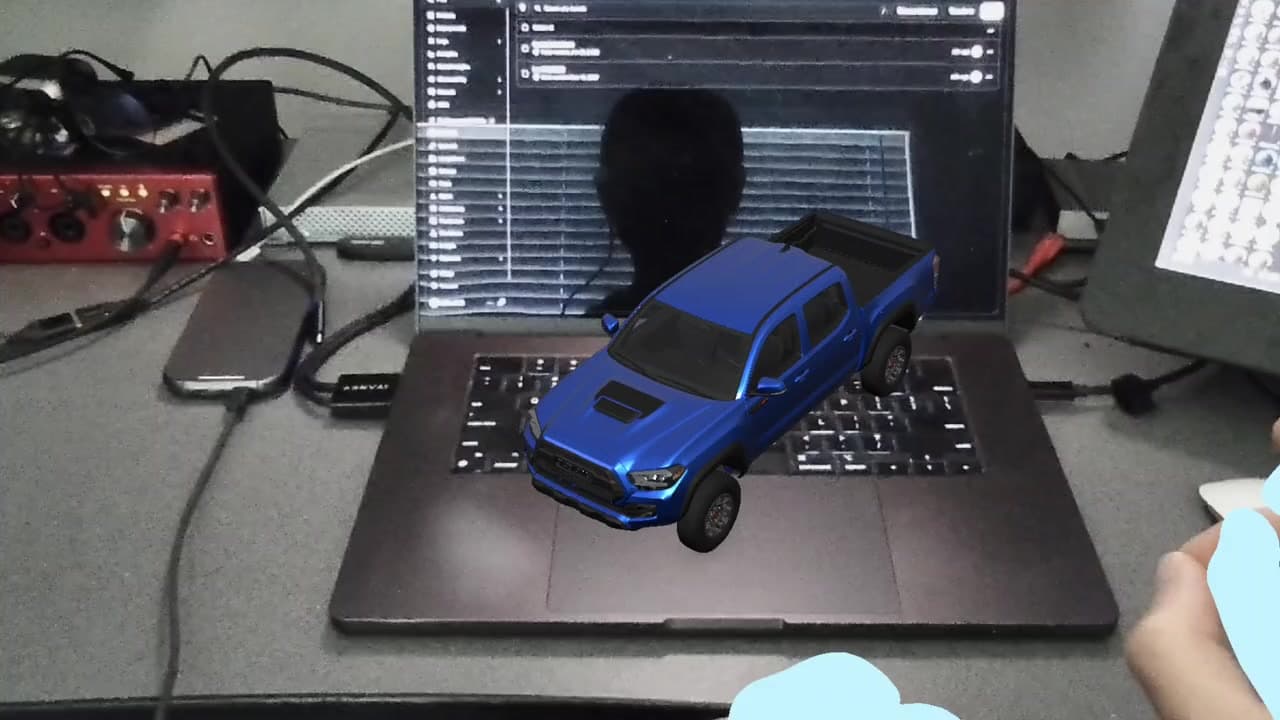
I also separated the job of mobile learning from AR viewing. Mobile carries the interactive browser experience. AR is a supplementary path: choose a model in a carousel, then open it in iOS Quick Look or Android Scene Viewer. That keeps the purpose of each action clear. Opening a model in the room is a different task from following the guided curriculum.
Make shared VR work for the group and the individual
Shared VR expands the learning experience into a group activity. A host can guide an Overview or Workflow while participants join, speak and explore together. The existing headset recordings show multiple participants represented around the same equipment, with names, pointing rays and workflow instructions giving the session context.
The UX question becomes who controls what. I directed that captions, microphone and audio controls should remain local to the learner, rather than becoming host-wide settings. A host can guide the lesson while each participant manages how they hear, read and contribute. I also asked for display names to belong to the user’s profile, giving people a recognizable identity within the session.
Those choices make the shared experience more than a room full of avatars. The group needs a common point of attention, and each person needs understandable controls. I wanted the interface to make those responsibilities visible without forcing every learner to use the same audio or caption settings.
In AR, scale and pivots become UX decisions
An equipment model that looks right inside a composed browser scene can behave differently when someone places it in a room. In one AR review, I flagged missing console pedals, an instrument table that appeared too small and scaling that moved the model off-center. Each issue changed how a person could understand or manipulate the equipment.
Geometry does not read the UX brief. The origin issue had a specific cause: an extracted table asset retained the wider operating-room origin. The team moved the table and accessories to their own origin and updated the assets. That is a useful creative-tech lesson. The way we prepare a model determines what happens under someone’s fingers when they scale or position it.
I would review an AR asset as an interaction sequence: select it, open the viewer, place it, change its size and inspect its parts. Check completeness, proportions and the center of manipulation together. The development footage here shows model manipulation in the room during that stage of the project. It is not presented as final acceptance of every model.
Keep the hands, interface and tutorial in agreement
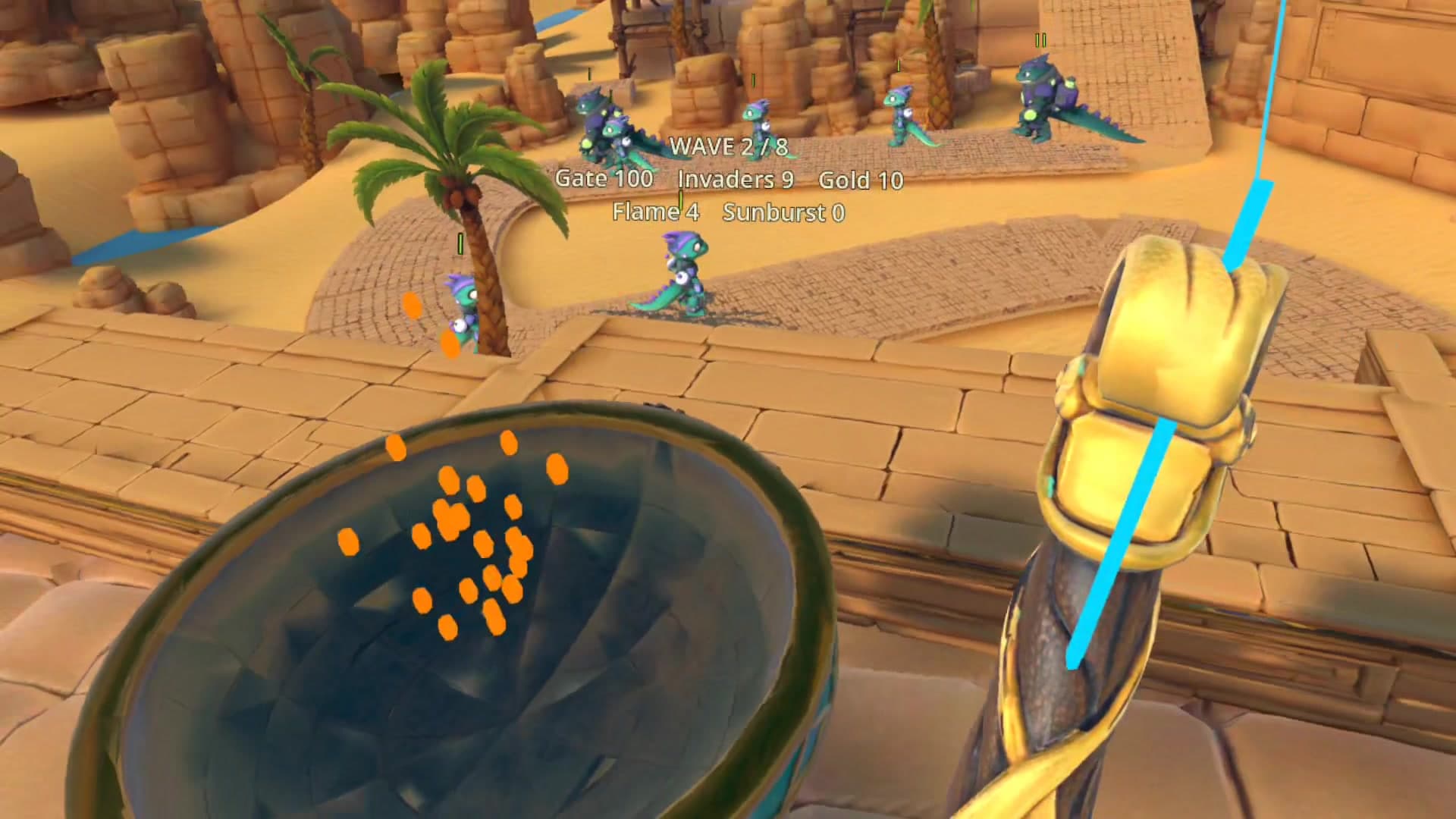
In VR, controls also have a physical relationship to the person. A wrist menu that disappears behind your other hand takes the idea of a hidden feature a little too literally. I asked for the remote to sit higher, its handle to reveal as a hand approached, and the wrist menu to move so the right hand would not overlap the left. Thicker type, lines and buttons were part of the same direction: make the control readable while someone is using it.
When the wrist-menu UX changed, I asked for the tutorial hands and interface to be updated together. The demonstration needed to match the action in the headset. I also directed voice-over to read the callout labels visible in each frame or substep, keeping the camera, label and spoken explanation on the same teaching beat.
The technical choices supported that clarity. In a later Rive pass, I directed loading and success states to become static and asked idle menus to stop advancing, redrawing and uploading textures. Resolution, input names and press-and-release behavior still had to be preserved. Simplification needed to keep the interaction intact.
The AURA test: reuse the experience, adapt the entry
The choice paid off when I tested OTTAVA on XREAL AURA. In under two hours, we had the existing experience running immersively, with hand tracking, teleportation and wrist-menu progression. We adapted the browser entry rather than rebuilding the equipment and learning content. The hosted application and original Quest package stayed unchanged.
My first impression was that the experience performed better on AURA, and the display was promising. That was an early hands-on impression, not a benchmark. The new hardware also exposed UX work: part of the interface fell outside its narrower field of view, and audio needed further testing. Chrome required a deliberate Enter VR action, which became part of the entry adaptation. Apparently, even the future needs a button.
That first working port showed the value of the decision. We could carry the core experience onto new hardware, then focus on the differences that affected the person wearing it. It was a portability milestone; further launch, audio and shared-session checks still belonged to the device review.
What I would carry into the next platform
For another learning platform, I would start with the team’s ability to keep developing it, then map the learner’s next action on each device. Define what the group shares and what each person controls. Review model pivots and scale as part of AR interaction. Keep tutorials synchronized with the controls they teach. Test new hardware early enough to expose the differences.
For me, the story in UX is the connection between those decisions. The J&J MedTech team has a platform to build upon, and the learner has a sequence they can participate in: choose a detail, examine it, follow a step and continue with a clearer understanding of the system.