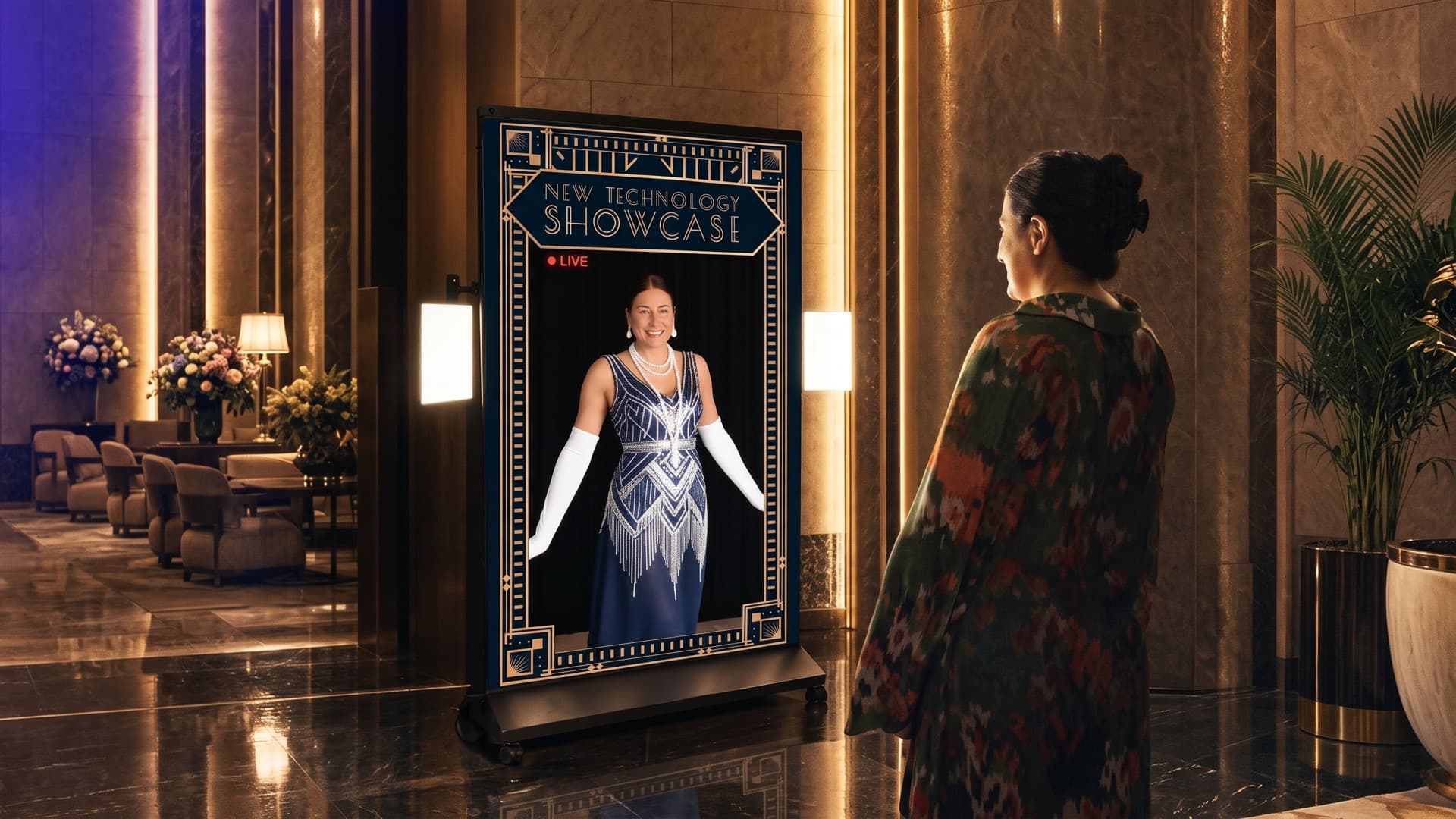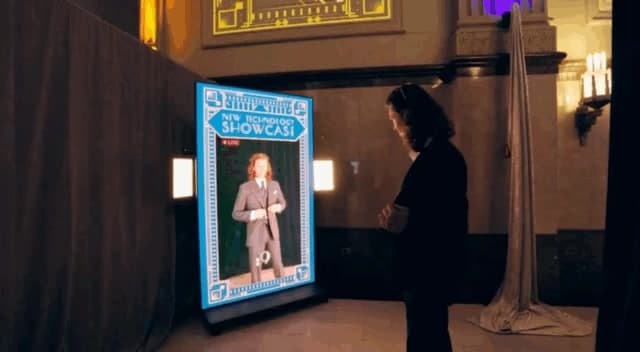
The wardrobe change gets your attention. You move, the clothes on the screen move with you, and suddenly the room has acquired a small costume department. For Alcon’s Magic Mirror, I wanted to carry that feeling all the way to the phone. The guest should understand what they are making, when it is ready and how to take it away.
Groove Jones brought its FitCheck Magic Mirror platform to Alcon’s New Technology Showcase reception at Fort Worth’s T&P Station. The team built a Golden Age wardrobe experience around the venue’s Art Deco setting. My work connected the interaction and app implementation to the capture page; Armando Loredo shaped the UI and attraction content, Dale Carman worked on integration and delivery, and Gary Banks led production. Henry Casillas captured the event.
Give the experience an ending
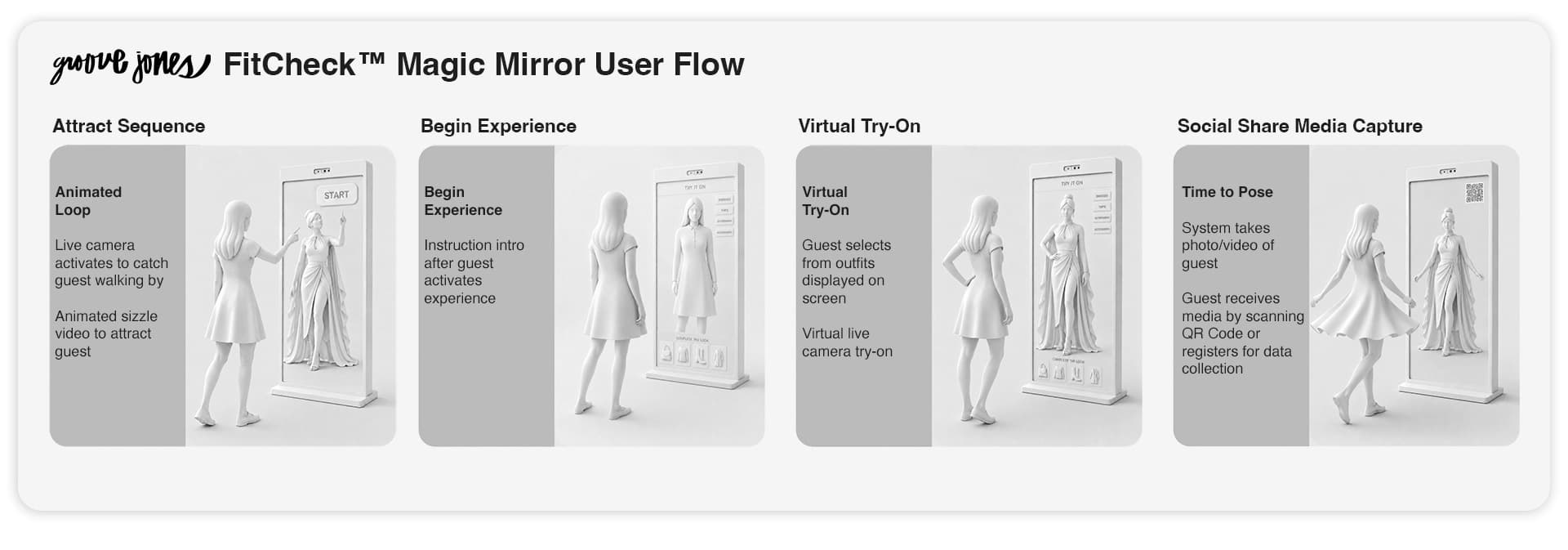
I mapped the sequence as attraction, live camera, wardrobe selection, countdown and recording, QR scan, then a dedicated page with the guest’s video. Registration came after preview and download in that plan. Starting with the whole sequence helped me see the phone as another scene in the experience. A scan needed to land somewhere useful.
By the first app handoff, the QR code already took a guest directly to their captured video, while email input had not been added. I questioned whether collecting an address was necessary without a specific follow-up requirement. We added email later, but that distinction mattered: retrieving the thing you just made and choosing to receive a follow-up are different actions. I wanted the guest’s immediate purpose to stay visible.
That also gave the design handoff a concrete destination. Armando and I could work through the mirror’s screens knowing what the guest needed to recognize on the next device. A download page has its own layout, but it belongs to the same interaction. The QR code is a door. It still needs a room behind it.
Make the first action physical
At the mirror, I changed the entry so raising a hand moved straight into the wardrobe-category selection. The guest did not first have to find and hover over an unlock button. Later choices used a deliberate hover. An invisible Start button is a fairly ambitious usability test.
The extra preview step needed more discussion. I liked the idea of trying on a look before recording. Armando’s test feedback was useful: a very short preview gave people little time to look at themselves, and returning to it spent more generation credits. We discussed lengthening it, then reconsidered whether a separate preview and confirmation earned their place. The important question was what the person could actually do with that moment.
This is where I enjoy moving between creative direction and implementation. A screen can look finished while its timing still asks the wrong thing of someone. I wanted to test the UI as a sequence of actions: raise a hand, choose, prepare, pose. Each transition had to explain the next physical beat.
Keep the tone while explaining the wait
The preparation and recording states carried the period styling. I implemented a tailoring screen with animated scissors, then updated the processing and QR copy as the client’s notes came through. The language could refer to a moving picture and a dark room while still telling the guest what was happening. The decoration had a job: keep the waiting moment inside the world we had created.
The finished video required more than recording the live feed. Capture, upload and branded rendering happened in stages. Early handoffs explicitly separated the working raw-video path from the branded processing still being connected. Near the event, Dale also caught a case where the QR flow could expose the raw clip while the rendered version was pending. He was adding a gate for that state. “Video exists” and “the promised video is ready” needed different meanings in the system.
That distinction affected the music too. I considered capturing room audio, then suggested a jazzy music bed because live sound could be noisy and out of sync. I asked Andrew Carman to help select a track that fitted the captured moment. Later, a test output was silent even though the local render had music; Dale reported redeploying the worker and re-rendering it. The souvenir needed its own sound, and checking the page alone would not catch that problem.
Follow the capture onto the phone
During development I opened the preview and got a “no Video URL” error. Dale traced the failure to large recordings and an upload path that did not recover well from connection interruptions. His changes capped the recording bitrate, added retries and expanded the fallback path. I brought those changes into my app branch. A QR code can be beautifully art-directed and still open a disappointing sentence.
There was a tradeoff in that work. A smaller recording gives up some image data to make delivery more manageable. Retries need time, and the interface needs to explain that time. Dale’s successful upload test was useful evidence, while the same weak connection still needed a real retest. I would keep both checks in the workflow: prove the normal path, then revisit the conditions that broke it.
On the capture page, I changed the layout to fit within a smartphone viewport and gave the video explicit dimensions. I also added an Open video directly fallback for a browser that failed to display the inline player. The desktop view preserved the video’s proportions with proper margins. These were small layout decisions with a practical purpose: keep the guest close to the action they came for.
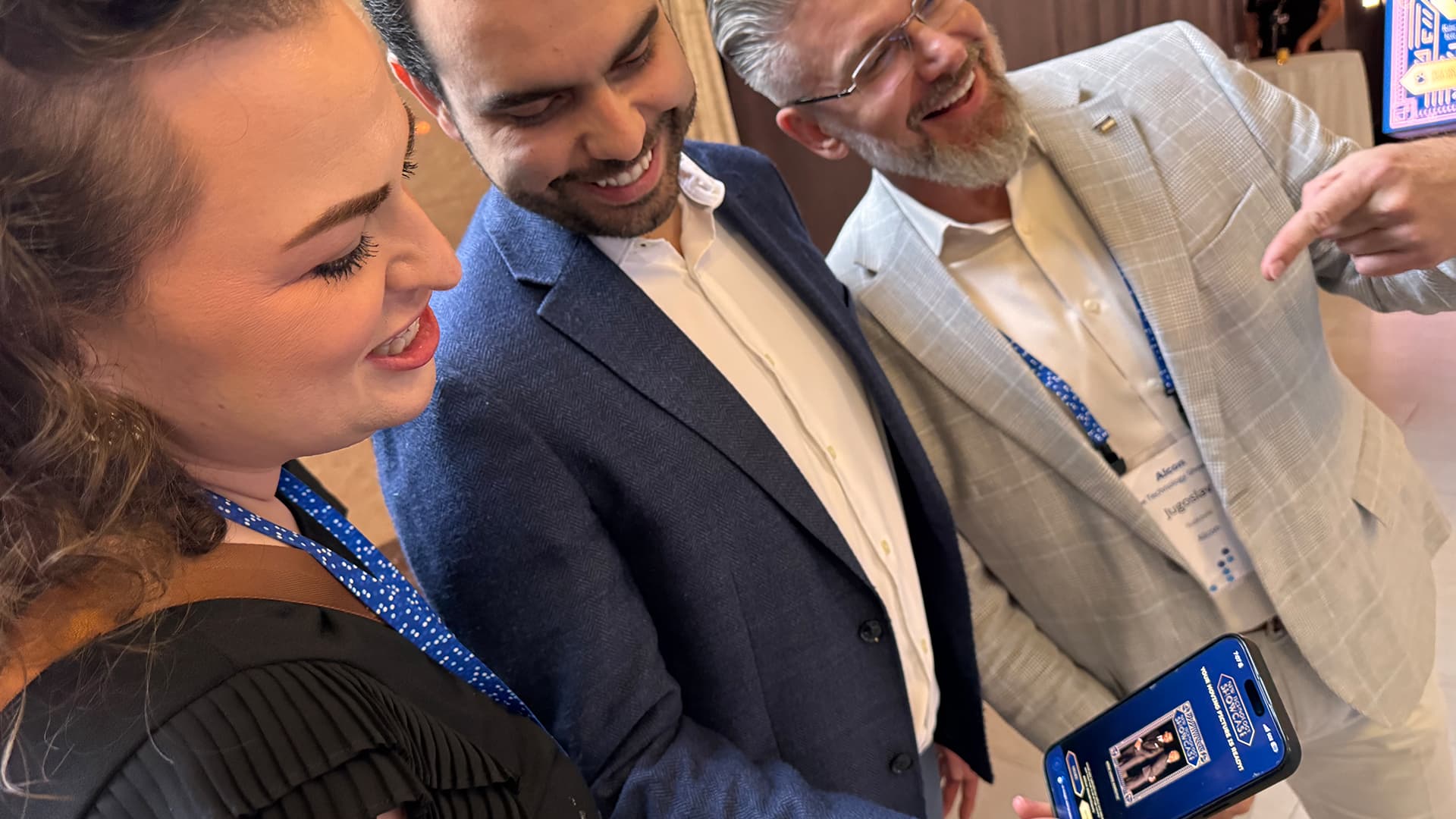
In the final event checks, Henry reported that the video had its music and graphics, and I tested again on my side. The event photograph here shows the takeaway being viewed on a phone. That is the connection I wanted to preserve: the person who made something at the mirror could recognize and open it on their own screen.
Review the whole departure
For another activation, I would run one real capture from the invitation through playback on a phone, then repeat it with a slow connection and a failed inline player. Read the waiting copy in that sequence. Check which output appears before processing finishes. Make the next action understandable at each point.
That is the lesson I carry from Alcon: the experience includes the moment someone leaves the shared screen. I want the same care in the invitation, the transformation, the wait and the takeaway. The last useful piece of creative direction may be a page that fits in someone’s hand.